Laravel React AdminLTE Dashboard Project and todo example
Laravel React AdminLTE Project management example code
Admin Dashboard using Laravel, AdminLTE and ReactJs to coded a website with purpose using in Project management, due to example code for tutorial, this sample code cover case during code daily of a full stack developer. In this project, this was created from a long time project, so I using Laravel 5.x and update to React@lastest. I will update from Laravel 5.x to Laravel lastest in near future time and update in readme if possible.
Prepare
- Working environment: Linux, MacOS, microsoft Windows
- Laravel 5.x
- ReactJs lastest
- PHP 7.4
- Node 14
Install
- Install Laravel
Install Laravel via composer is more convienence than use laravel install due to maintain tool installer, certainly!, Composer is well-known package manager
1
2
3
composer create-project --prefer-dist laravel/laravel laravel_react_adminlte_project_todo_management "5.5.*"
cd laravel_react_adminlte_project_todo_management
composer install
- Install AdminLTE
AdminLTE used in my repository is 2.x, which is stable for Laravel 5.x in 2018. For lastest support and maintain please use lastest version of adminLTE is 3.x in 2024.
1
2
composer require jeroennoten/laravel-adminlte
php artisan adminlte:install # if adminlte of lower version will not run this command `adminlte` not found
Register AdminLTE in service provider to booter with laravel
1
JeroenNoten\LaravelAdminLte\ServiceProvider::class,
After install AdminLTE, publish vendor assests file to make css, and js file working.
1
2
3
php artisan vendor:publish --provider="JeroenNoten\LaravelAdminLte\ServiceProvider" --tag=asset
php artisan config:cache
php artisan view:clear
- Install Laravel
Install Laravel via composer is more convienence than use laravel install due to maintain tool installer, certainly!, Composer is well-known package manager
- Install Node package
The version of Node is 14 and React is latest, and ReactDom is also lastest to avoid miss coparatitive with version and functions.
1
2
3
nvm install 14
nvm use 14
npm install
To build css and js file
1
npm run dev
To watch and synchonized change code automatically
1
npm run watch
- Run conmand to generate key
Laravel is rich features, mean every code and feature can also have own config but before run a laravel app, laravel will look into the configure file and find out key generated which used for hash, ssl and algorithm functions. Laravel will not start without key generated.
- Make a
.envfile from.env.local1
php artisan key:generate
- Make a
- Run command to migrate
Before run migrate, make sure to config database parameters in
.env. There are multiplee databases support but in this repository, I use MYSQL.1 2 3 4 5 6
DB_CONNECTION=mysql DB_HOST=127.0.0.1 DB_PORT=3306 DB_DATABASE=laravel_react_sample_code DB_USERNAME=db_usernam DB_PASSWORD=db_pass
Run migrate
1
php artisan migrate
- Run command to make data for test
Made some data for tests and available seed by command
1
php artisan db:seed
The content is following to Seed are: ProjectTableSeeder.php and MemberTableSeeder.php
1
2
3
4
5
6
7
8
9
10
11
12
13
14
15
16
17
18
19
20
21
22
23
24
25
26
27
28
29
30
31
32
33
34
35
36
37
<?php

use Illuminate\Database\Seeder;
use App\Project;

class ProjectTableSeeder extends Seeder
{

    public function run()
    {
        DB::statement('SET FOREIGN_KEY_CHECKS=0;');
        App\Project::truncate();
        DB::statement('SET FOREIGN_KEY_CHECKS=1;');
        DB::table('project')->delete();
        $name = 'Project A';
        Project::create(array(
            'name' => $name,
            'information' => 'test1',
            'deadline' => '2018-09-27',
            'type' => 'lab',
            'status' => 1,
            'created_at' => '1990-09-27',
            'updated_at' => '1990-09-27'
        ));

        $name = 'Project B';
        Project::create(array(
            'name' => $name,
            'information' => 'test2',
            'deadline' => '2018-09-27',
            'type' => 'lab',
            'status' => 1,
            'created_at' => '1990-09-27',
            'updated_at' => '1990-09-27'
        ));
    }
}
and MemberTableSeeder.php
1
2
3
4
5
6
7
8
9
10
11
12
13
14
15
16
17
18
19
20
21
22
23
24
25
26
27
28
29
30
31
32
33
34
35
36
37
<?php

use Illuminate\Database\Seeder;
use App\Member;

class MemberTableSeeder extends Seeder
{

    public function run()
    {
        DB::statement('SET FOREIGN_KEY_CHECKS=0;');
        App\Member::truncate();
        DB::statement('SET FOREIGN_KEY_CHECKS=1;');
        DB::table('member')->delete();
        $name = 'Nguyen Kim';
        Member::create(array(
            'name' => $name,
            'information' => 'test',
            'date_of_birth' => '1992-09-25',
            'position' => 'intern',
            'phone' => '0965841492',
            'gender' => 1,
            'avatar' => 'storage/images/default.png'
        ));

        $name = 'Nguyen Phuc';
        Member::create(array(
            'name' => $name,
            'information' => 'test',
            'date_of_birth' => '1992-09-25',
            'position' => 'intern',
            'phone' => '0965841492',
            'gender' => 1,
            'avatar' => 'storage/images/default.png'
        ));
    }
}
File DatabaseSeeder.php will place code to call seeders
1
2
3
4
5
6
7
8
9
10
11
12
13
14
15
16
17
18
<?php

use Illuminate\Database\Seeder;

class DatabaseSeeder extends Seeder
{
    /**
     * Run the database seeds.
     *
     * @return void
     */
    public function run()
    {
        $this->call(ProjectTableSeeder::class);
        $this->call(MemberTableSeeder::class);
    }
}
- Check variables configure
Check on folder config and locate files: adminlte.php, MyGlobeSetting.php and app.php to checl whether conditions and variables are setted. These variables have own defaults.
Please check config to add:
- App Name
- Database connection
- AdminLTE params: menu, plugins
- Fix any bugs appear and check bug math.div
After install and run npm run dev, command is work properly but errors may be appear. Please aware to fix bugs appeard duting run at local site.
The bug come from sass compiler is math.div not found so please go in detail error notice and make change from math.div to function symbols /
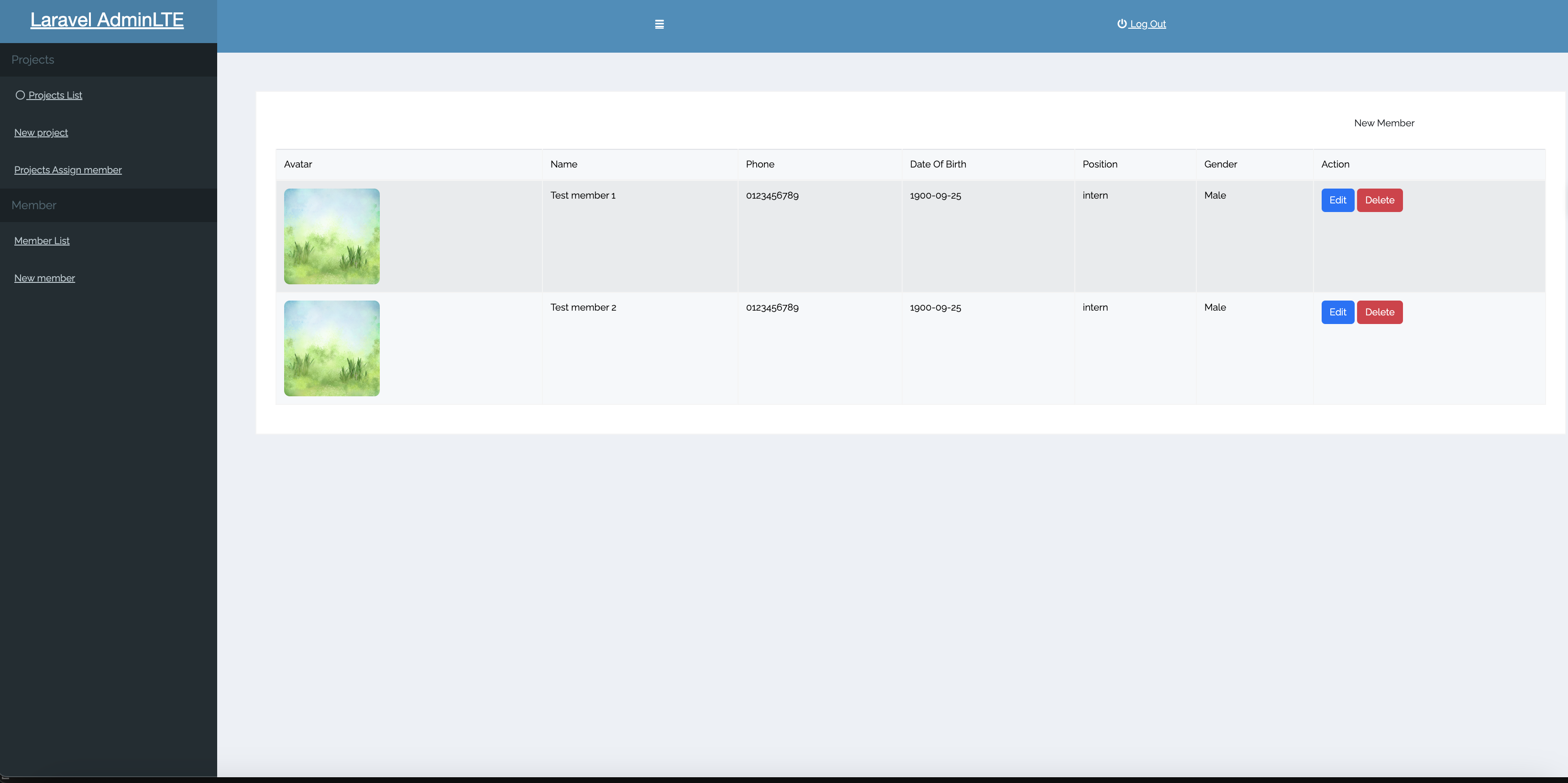
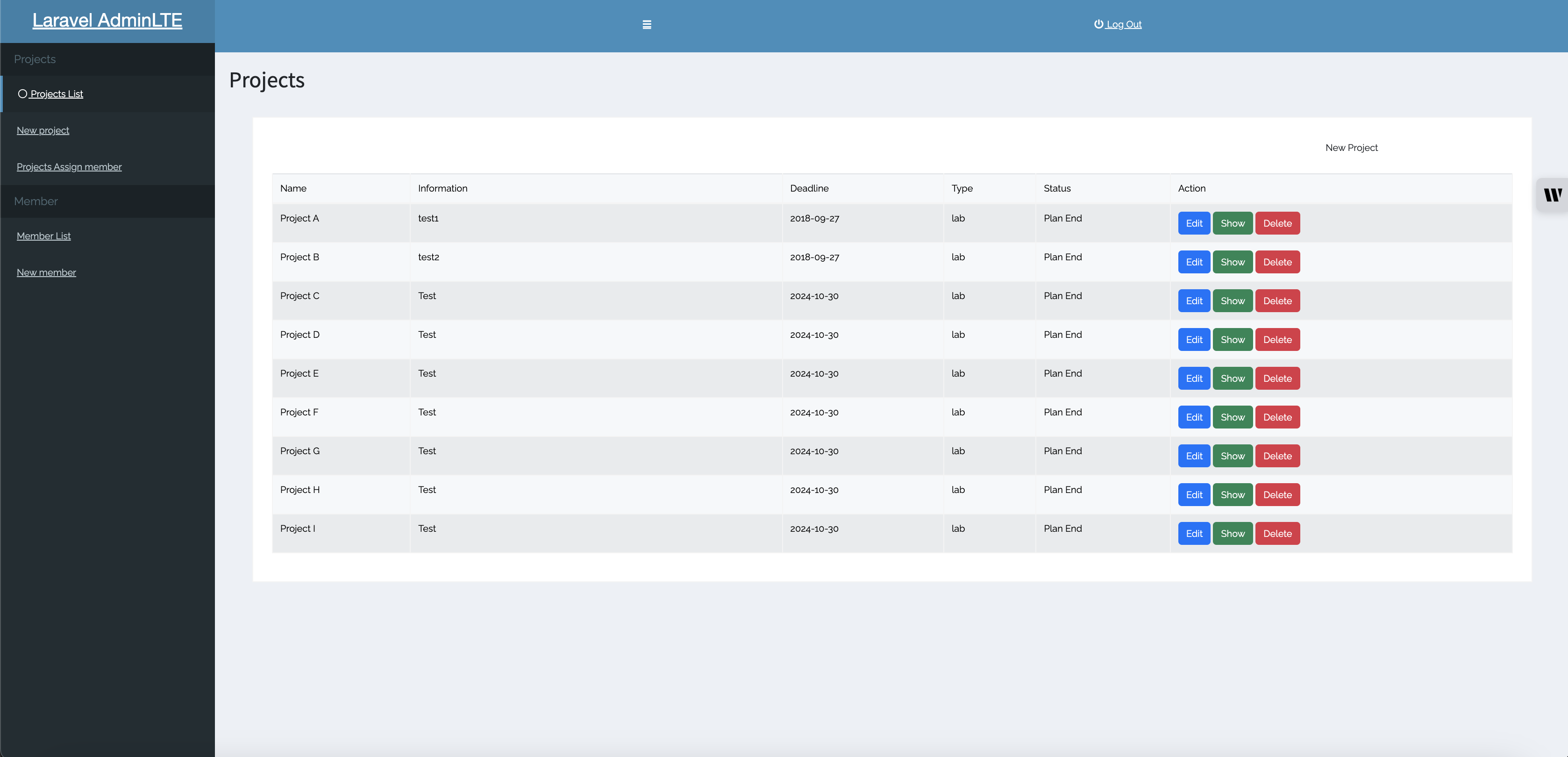
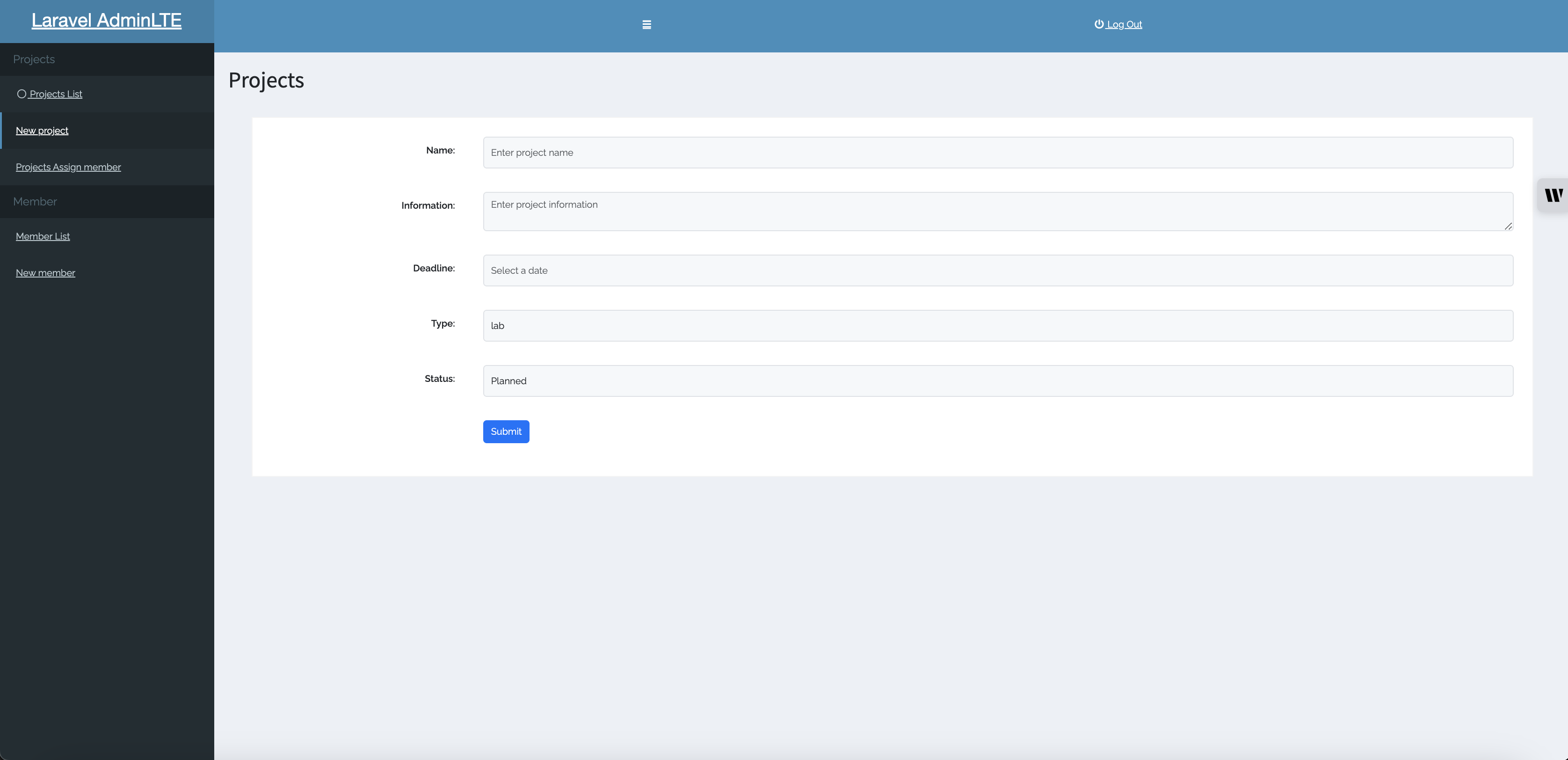
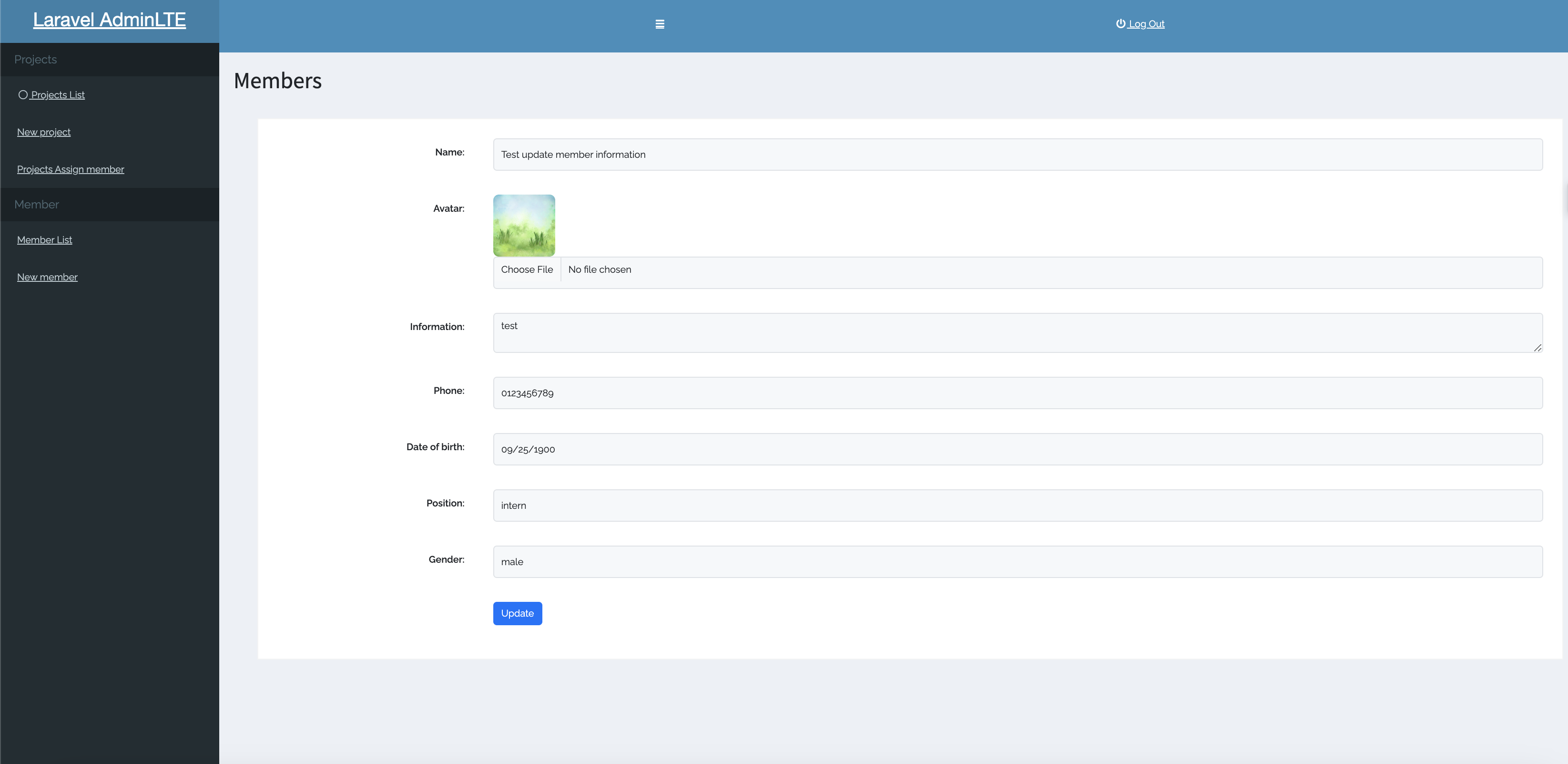
- Websites pictures
Website pictures:
- Home page
- Project Page
- Create Project
- Member Update information
- Home page
- Other
- Data is sample for test and demo